> ## Documentation Index
> Fetch the complete documentation index at: https://lightdash-docs-zap-1072-mcp-data-app-builds.mintlify.site/llms.txt
> Use this file to discover all available pages before exploring further.
# Autopilot
> Scheduled AI agent that fixes broken charts, flags stale content, and suggests new ones
Beta Autopilot is available on **Enterprise** and **Cloud Pro** plans only. [What Beta means](/support/feature-maturity-levels).
Autopilot is a scheduled agent that runs against a project on its own and keeps it healthy. Each run, it reviews recent activity, finds problems, fixes what it safely can, and flags the rest for review.
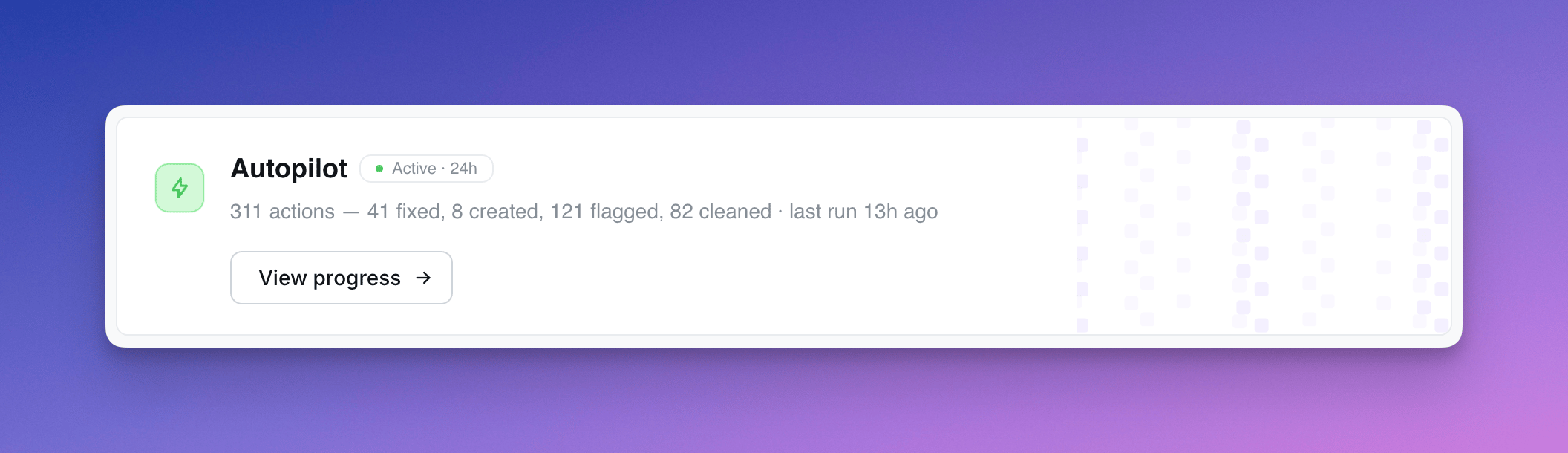 Unlike conversational AI agents that respond to user questions, Autopilot is autonomous — it works in the background on a schedule you set.
## What Autopilot does
Each run, Autopilot works through a fixed checklist:
| Step | What it does |
| --------------------- | ------------------------------------------------------------------------------------------------------------------------------------------------------------------------------------ |
| **Stale content** | Soft-deletes charts/dashboards with 0 views older than 30 days. Flags content not viewed in 3+ months. |
| **Broken content** | Finds charts referencing fields that no longer exist. Tries to auto-fix by removing invalid references. Flags any it can't fix. |
| **Slow queries** | Flags charts and dashboards with consistently slow warehouse queries (>2s). |
| **Preview cleanup** | Flags preview projects older than 3 months. |
| **Chart suggestions** | Reviews recent user questions to the AI assistant. If users repeatedly ask about a topic with no saved chart, Autopilot drafts one in an "Agent Suggestions" space for admin review. |
| **Insights** | Surfaces popular content that isn't pinned, or popular content stuck in a private space. |
Every action is recorded in the activity log with a description of *why* Autopilot did it.
## Action types
Each row in the activity log is tagged with one of:
* **Auto-fixed** — broken chart Autopilot fixed itself
* **Cleaned up** — content soft-deleted (admins can restore)
* **Suggested** — new chart drafted for review
* **Flagged stale / broken / slow** — recorded for review; future runs may escalate (e.g. soft-delete a stale flag that's been ignored for 24h+)
* **Insight** — observation about popular content
## Safety rules
Autopilot is conservative by default:
* Never touches content less than 30 days old
* Never soft-deletes a chart that's the only chart on a dashboard
* Never modifies content it created itself (slugs prefixed `agent-`)
* Prefers flagging over deleting when in doubt
* Soft-delete only — admins can restore from the trash
* Reverses its own actions if it detects a mistake on the next run
## Setup
Autopilot is configured per project from the project Home page.
**Schedule** — choose how often it runs (every 6 hours, daily, etc.).
**Permissions** — three capability toggles:
* **Read content** *(always on)* — reads project health signals, recent actions, and chart definitions
* **Create content** — drafts new chart suggestions in the "Agent Suggestions" space
* **Modify existing content** — soft-deletes stale content, fixes broken charts, reverses its own past actions
Disable both modify capabilities to run Autopilot in read-only mode (flags and insights only).
**Slack updates** *(optional)* — post a summary of each run to a Slack channel. Requires the Slack integration.
Autopilot assumes the role of the user who set it up — every action it takes runs with that user's permissions and is attributed to them.
## AI provider and usage
These instructions describe the AI SDK runtime. For self-hosted provider
configuration and upgrading from earlier releases, see
[Autopilot setup](/self-host/enterprise-features/ai-agents#autopilot).
Autopilot uses the organization's default AI model. For the selected provider,
it uses the organization's key when configured, otherwise the instance key.
Organization admins can manage keys and the default model in
**Settings → Ask AI → General**. Autopilot has no per-project model override.
Setup and the activity page show the current provider, model, and key source.
Each new run records its selected model before execution, so historical runs
keep their original attribution after settings change. Older runs without
recorded model details show **Model not recorded**.
Each scheduled run can make multiple model calls and consumes tokens on that
key. More projects and more frequent schedules increase usage: for example,
ten projects running daily schedule roughly 300 runs in a 30-day month, while
running every six hours schedules roughly 1,200 runs. Manual runs add to this.
Actual cost depends on the calls, token counts, model, caching, and your provider's
pricing agreement; the step limit is not a dollar spending limit.
For usage reporting, Autopilot calls are tagged `managed-agent`, with the
provider, model, project, and run ID. `key_management` distinguishes
`self-managed` from `lightdash-managed`; an instance key can also be
self-managed. Compare token usage with your provider's billing records to
reconcile charges. Missing provider usage and older run IDs remain unknown.
## Reviewing activity
The Autopilot activity page shows every action across runs, with a sidebar that surfaces:
* Affected chart or dashboard context (space, last modified, views, verification status)
* Validation error details for broken content
* Execution time for slow queries
* Chart-as-code definition for suggested charts
* Autopilot's reasoning for the action
Use the activity log to spot-check decisions, restore anything Autopilot got wrong, and accept or dismiss suggestions.
Only users with **Developer** or **Admin** project access can view Autopilot's activity log.
Unlike conversational AI agents that respond to user questions, Autopilot is autonomous — it works in the background on a schedule you set.
## What Autopilot does
Each run, Autopilot works through a fixed checklist:
| Step | What it does |
| --------------------- | ------------------------------------------------------------------------------------------------------------------------------------------------------------------------------------ |
| **Stale content** | Soft-deletes charts/dashboards with 0 views older than 30 days. Flags content not viewed in 3+ months. |
| **Broken content** | Finds charts referencing fields that no longer exist. Tries to auto-fix by removing invalid references. Flags any it can't fix. |
| **Slow queries** | Flags charts and dashboards with consistently slow warehouse queries (>2s). |
| **Preview cleanup** | Flags preview projects older than 3 months. |
| **Chart suggestions** | Reviews recent user questions to the AI assistant. If users repeatedly ask about a topic with no saved chart, Autopilot drafts one in an "Agent Suggestions" space for admin review. |
| **Insights** | Surfaces popular content that isn't pinned, or popular content stuck in a private space. |
Every action is recorded in the activity log with a description of *why* Autopilot did it.
## Action types
Each row in the activity log is tagged with one of:
* **Auto-fixed** — broken chart Autopilot fixed itself
* **Cleaned up** — content soft-deleted (admins can restore)
* **Suggested** — new chart drafted for review
* **Flagged stale / broken / slow** — recorded for review; future runs may escalate (e.g. soft-delete a stale flag that's been ignored for 24h+)
* **Insight** — observation about popular content
## Safety rules
Autopilot is conservative by default:
* Never touches content less than 30 days old
* Never soft-deletes a chart that's the only chart on a dashboard
* Never modifies content it created itself (slugs prefixed `agent-`)
* Prefers flagging over deleting when in doubt
* Soft-delete only — admins can restore from the trash
* Reverses its own actions if it detects a mistake on the next run
## Setup
Autopilot is configured per project from the project Home page.
**Schedule** — choose how often it runs (every 6 hours, daily, etc.).
**Permissions** — three capability toggles:
* **Read content** *(always on)* — reads project health signals, recent actions, and chart definitions
* **Create content** — drafts new chart suggestions in the "Agent Suggestions" space
* **Modify existing content** — soft-deletes stale content, fixes broken charts, reverses its own past actions
Disable both modify capabilities to run Autopilot in read-only mode (flags and insights only).
**Slack updates** *(optional)* — post a summary of each run to a Slack channel. Requires the Slack integration.
Autopilot assumes the role of the user who set it up — every action it takes runs with that user's permissions and is attributed to them.
## AI provider and usage
These instructions describe the AI SDK runtime. For self-hosted provider
configuration and upgrading from earlier releases, see
[Autopilot setup](/self-host/enterprise-features/ai-agents#autopilot).
Autopilot uses the organization's default AI model. For the selected provider,
it uses the organization's key when configured, otherwise the instance key.
Organization admins can manage keys and the default model in
**Settings → Ask AI → General**. Autopilot has no per-project model override.
Setup and the activity page show the current provider, model, and key source.
Each new run records its selected model before execution, so historical runs
keep their original attribution after settings change. Older runs without
recorded model details show **Model not recorded**.
Each scheduled run can make multiple model calls and consumes tokens on that
key. More projects and more frequent schedules increase usage: for example,
ten projects running daily schedule roughly 300 runs in a 30-day month, while
running every six hours schedules roughly 1,200 runs. Manual runs add to this.
Actual cost depends on the calls, token counts, model, caching, and your provider's
pricing agreement; the step limit is not a dollar spending limit.
For usage reporting, Autopilot calls are tagged `managed-agent`, with the
provider, model, project, and run ID. `key_management` distinguishes
`self-managed` from `lightdash-managed`; an instance key can also be
self-managed. Compare token usage with your provider's billing records to
reconcile charges. Missing provider usage and older run IDs remain unknown.
## Reviewing activity
The Autopilot activity page shows every action across runs, with a sidebar that surfaces:
* Affected chart or dashboard context (space, last modified, views, verification status)
* Validation error details for broken content
* Execution time for slow queries
* Chart-as-code definition for suggested charts
* Autopilot's reasoning for the action
Use the activity log to spot-check decisions, restore anything Autopilot got wrong, and accept or dismiss suggestions.
Only users with **Developer** or **Admin** project access can view Autopilot's activity log.